Note: This login process is for students who have already registered for Expert TA. If you haven’t registered yet, please follow our New User Registration Instructions before logging in.
Step 1: Go to the Expert TA website and click the Login button in the grey bar at the top.
Step 2: Enter your username (your registered email) and click Next.
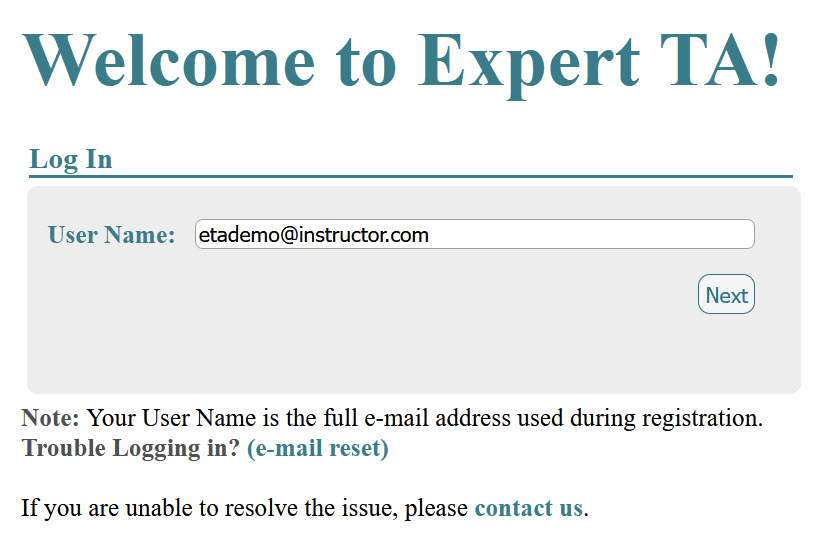
Note: If you enter the incorrect username, you will see the following message: “There is no account associated with the username you entered. Please ensure you are entering the full email address that you used to register for Expert TA.” 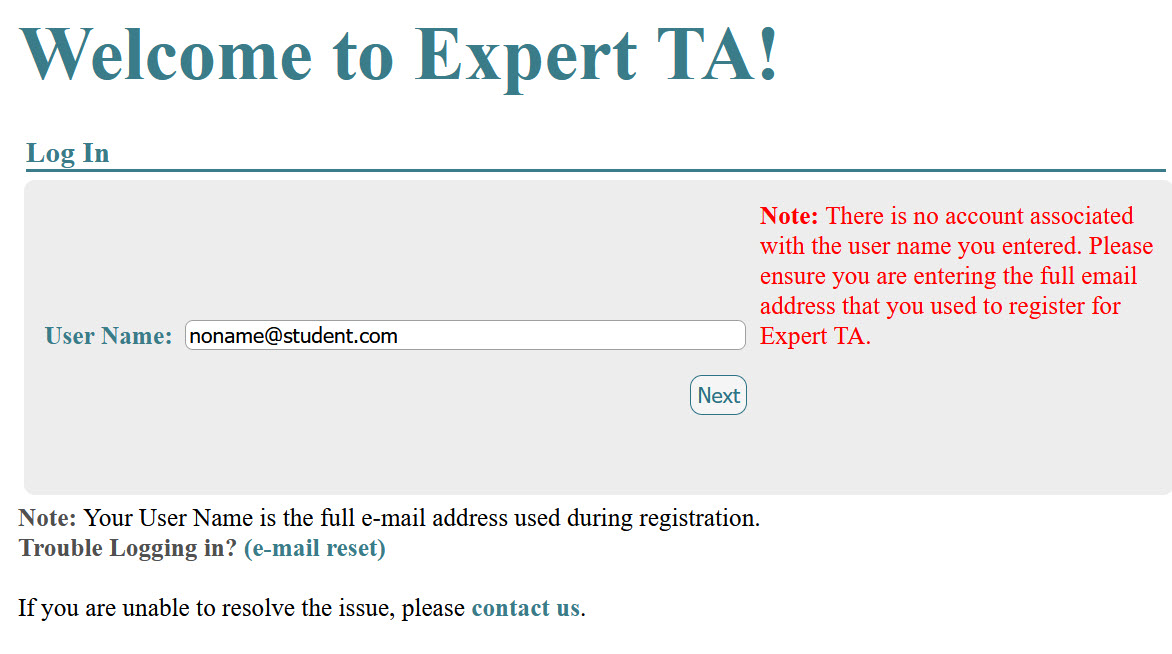
Step 3: Enter your password and click Next.
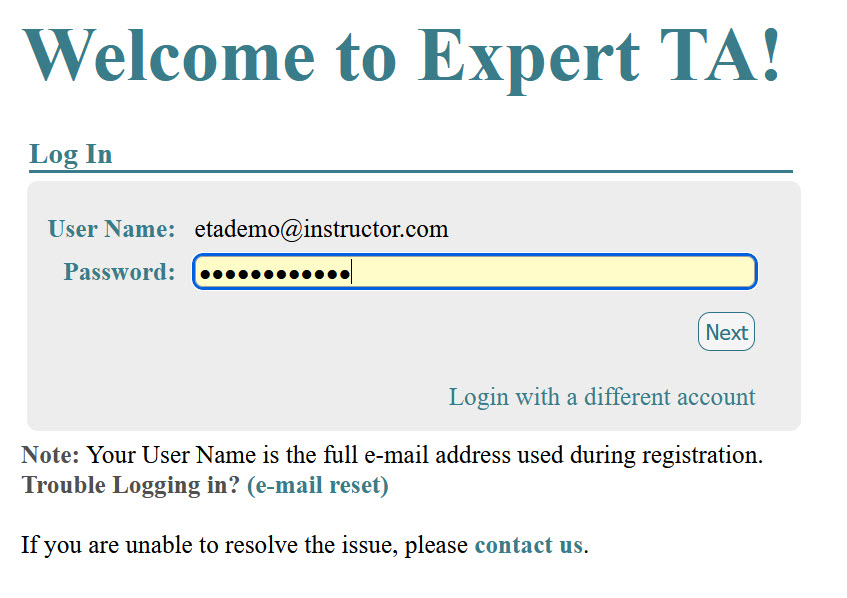
Note: If you have entered the wrong username or need to log in as a different user, click on the blue words "Log in with a different account".
Was this article helpful?
That’s Great!
Thank you for your feedback
Sorry! We couldn't be helpful
Thank you for your feedback
Feedback sent
We appreciate your effort and will try to fix the article