After you have completed registration, you will be taken to the Payment Screen.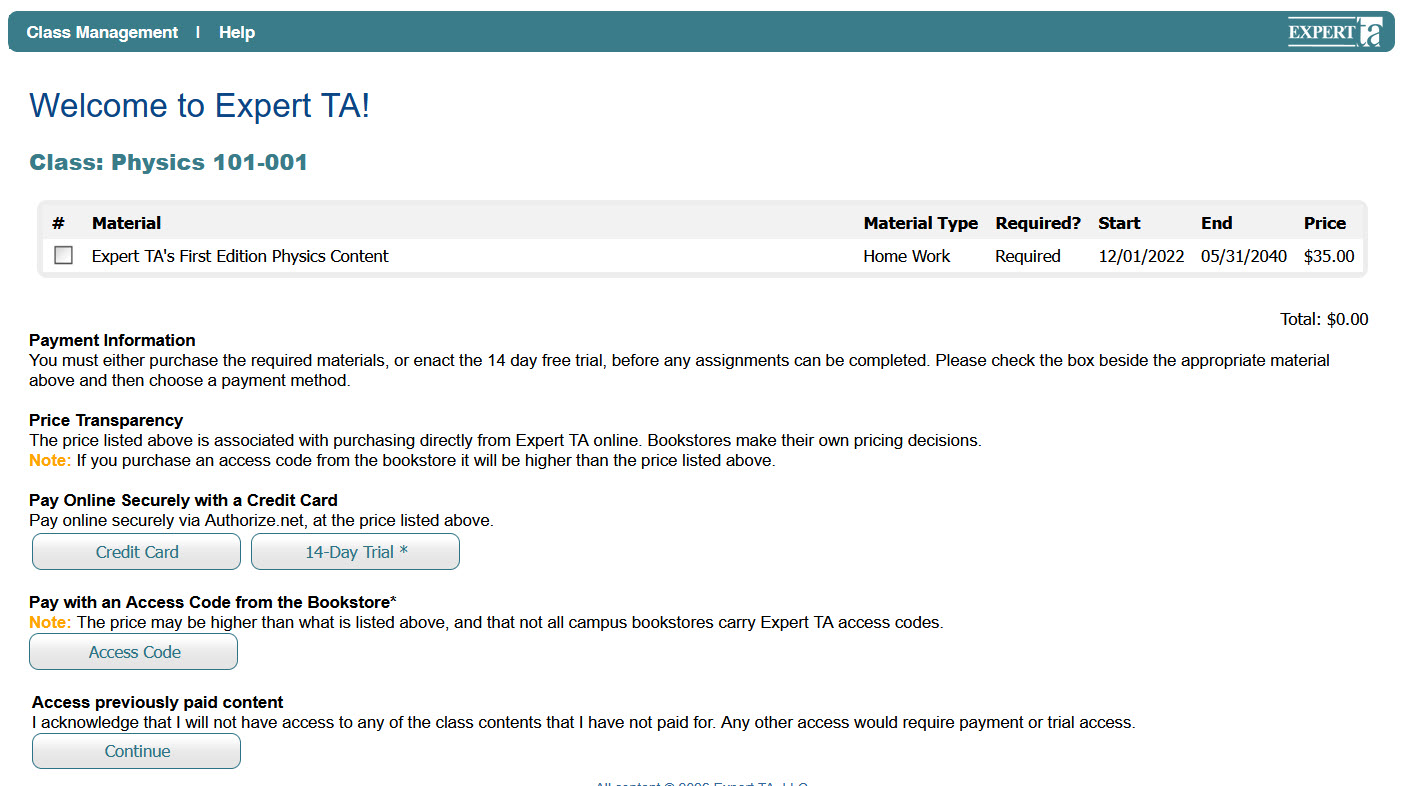
Before selecting a payment option, you must first choose the class you want to pay for by clicking the checkbox next to your class. 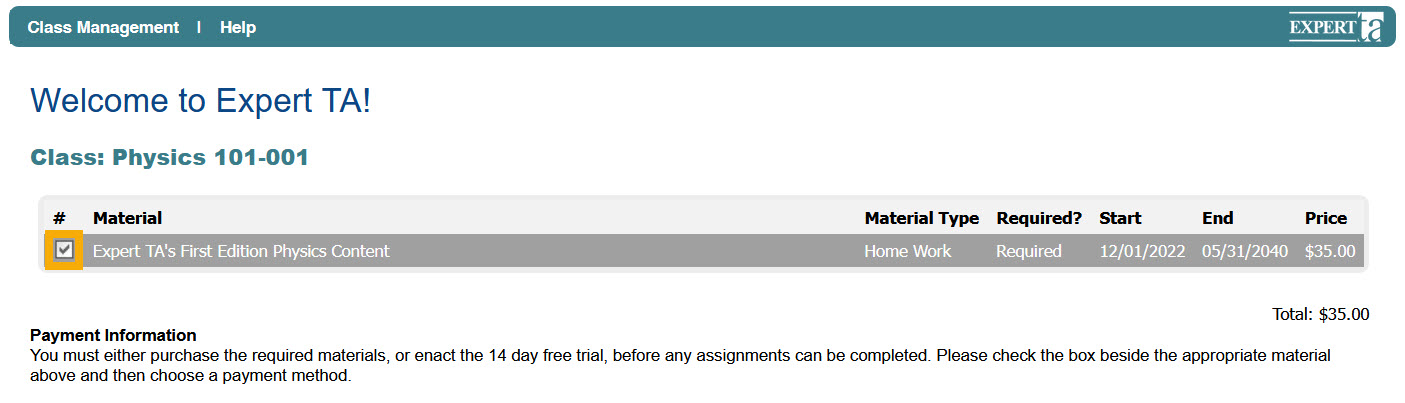
14-Day Free Trial
The 14-Day Free Trial can be used once per class. It provides full access for 14 days, allowing you to evaluate the class and the Expert TA program before making a payment. No credit card information is required. To start your free trial, click the 14-Day Trial button. After 14 days, you will need to pay with a credit card or access code to continue in the class. You can upgrade anytime during the trial by clicking Upgrade to Full Version after logging in.
Credit Card
To pay with a credit card, click the Credit Card button to access a secure checkout powered by Authorize.net. Enter all required information (phone number is optional). Make sure your address matches the billing information on file with your card’s financial institution, as mismatched information may prevent the transaction from processing. This is a standard security measure used to prevent unauthorized purchases.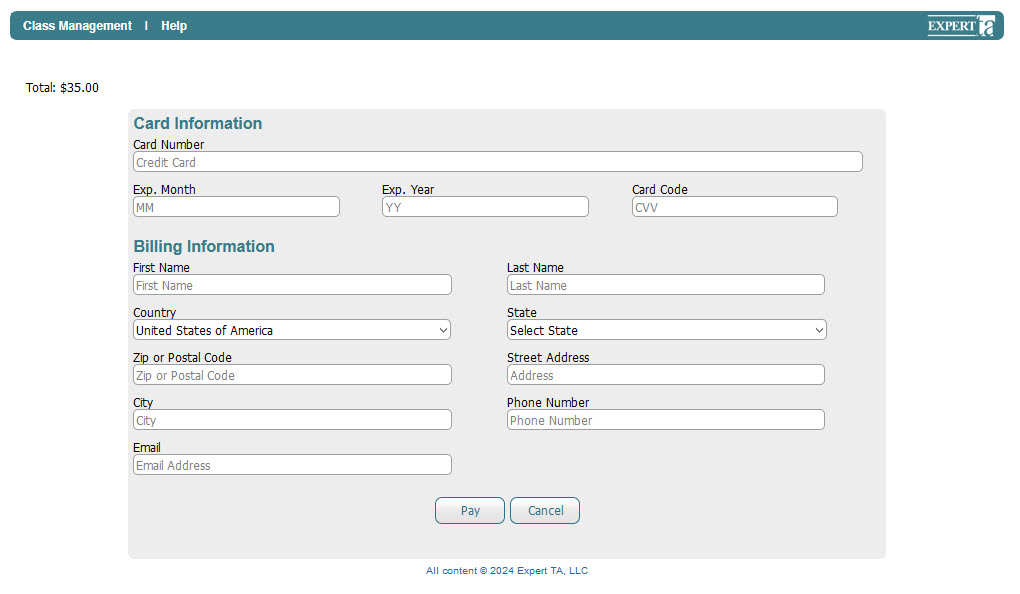
Access Code
If you purchased an access code from your bookstore, click the Access Code button. Enter the 16-character code in the four fields provided and click Submit to begin using Expert TA. 
Note: Some characters can be easily mistaken for one another — for example, the number 1, the letter I, the letter L, the number 0, and the letter O. Pay careful attention when entering your code.
If you see the message “Invalid access code”, one or more of the characters you entered were incorrect. Re-enter your code carefully. If problems persist, contact support@theexpertta.com for assistance.
Access Previously Paid Content
Clicking Continue will allow you to access any material you have already paid for, such as a different class from this term or a previous term.
If you are prompted to pay for your current class but have already completed payment, contact support@theexpertta.com for assistance.
Was this article helpful?
That’s Great!
Thank you for your feedback
Sorry! We couldn't be helpful
Thank you for your feedback
Feedback sent
We appreciate your effort and will try to fix the article