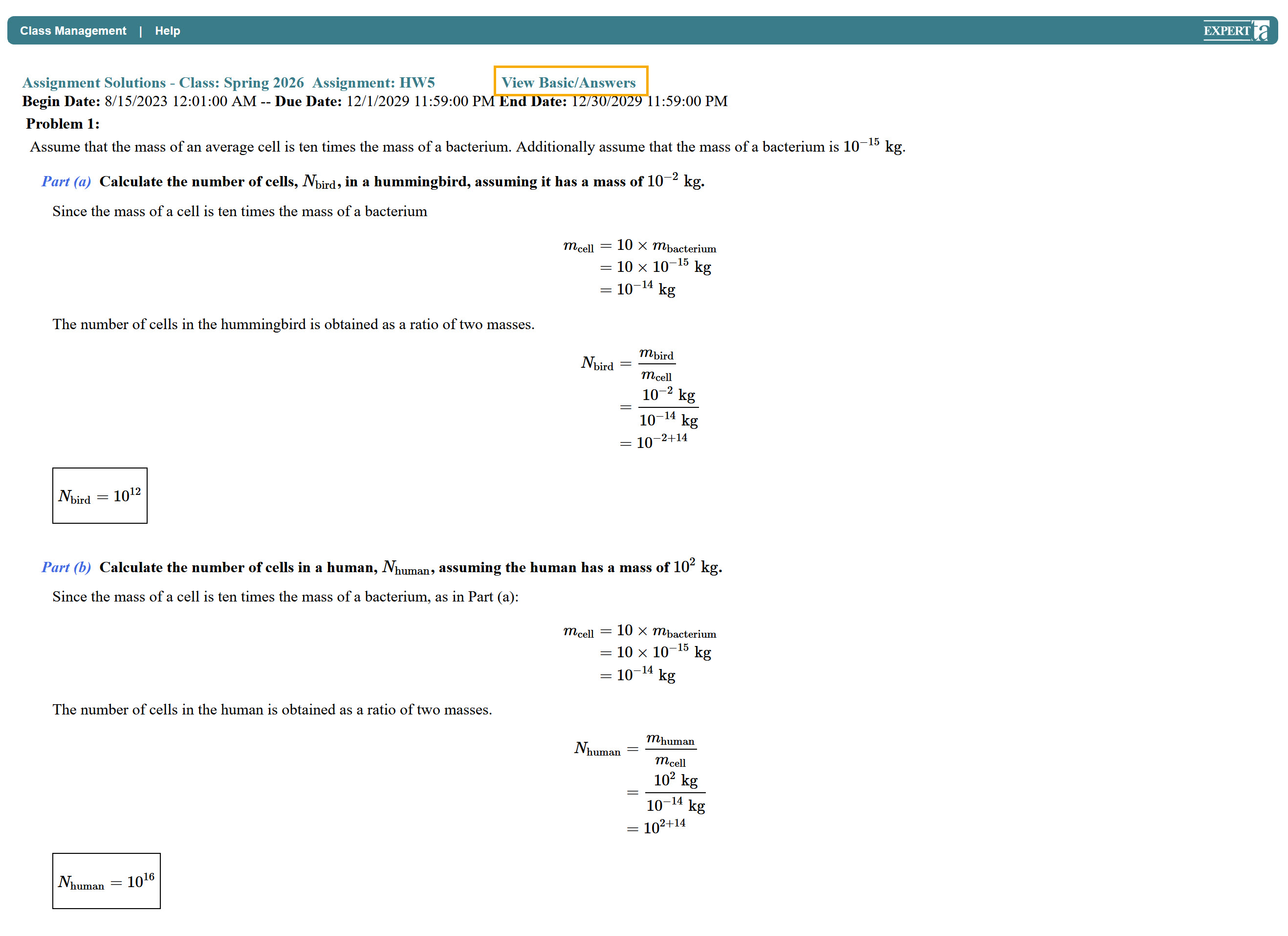
The View Assignment Solutions option lets you see the full solutions to an assignment, step by step. This can help you study and understand how problems are solved.
To access the solutions, click on the assignment name or the three vertical dots next to the assignment name to open the Assignment Menu. From the menu, select View Assignment Solutions.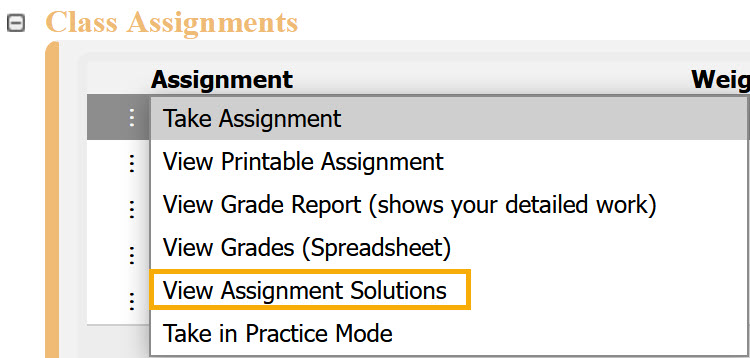
When enabled:
You will see the full solution for each problem, worked out step by step.
For problems with random variables, the values may differ from your assignment, so answers may vary slightly.
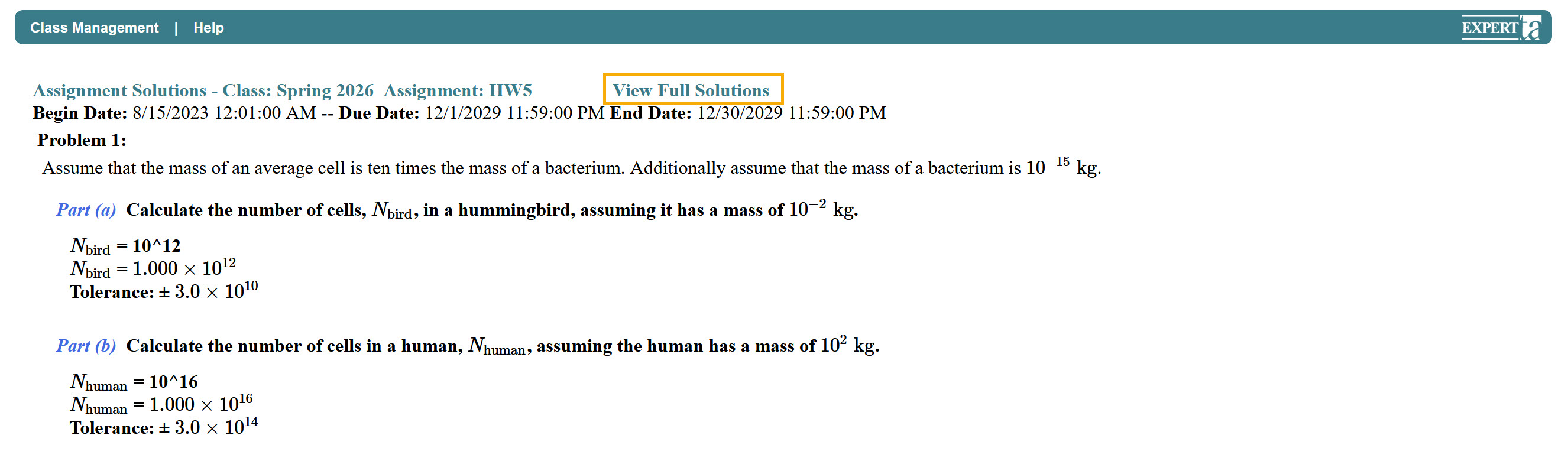
You can switch between Full Solution and Basic Answer views using the buttons at the top of the screen.
Note: This option may not be available for every assignment. Its availability depends on your instructor’s settings. If it is not enabled, you will see a message indicating that solutions are not available.

To exit, click Class Management in the upper-left corner to return to the Class Management page.
Was this article helpful?
That’s Great!
Thank you for your feedback
Sorry! We couldn't be helpful
Thank you for your feedback
Feedback sent
We appreciate your effort and will try to fix the article