The View Grade Report option allows you to see your detailed work for an assignment. This report shows:
Each answer you submitted
Any hints or feedback you received
Any deductions applied
Your grade for each problem or problem part
To access your grade report, click on the assignment name or the three vertical dots next to the assignment name to open the Assignment Menu. From the menu, select View Grade Report (shows your detailed work).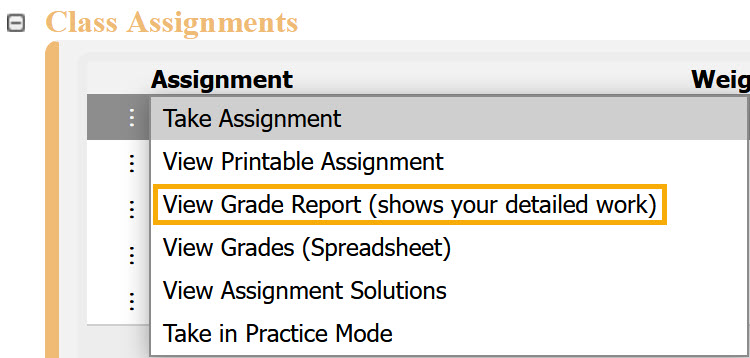
The grade report will open in a new screen, where you can review your work. You can also print or save the report as a PDF; instructions for this vary depending on your browser.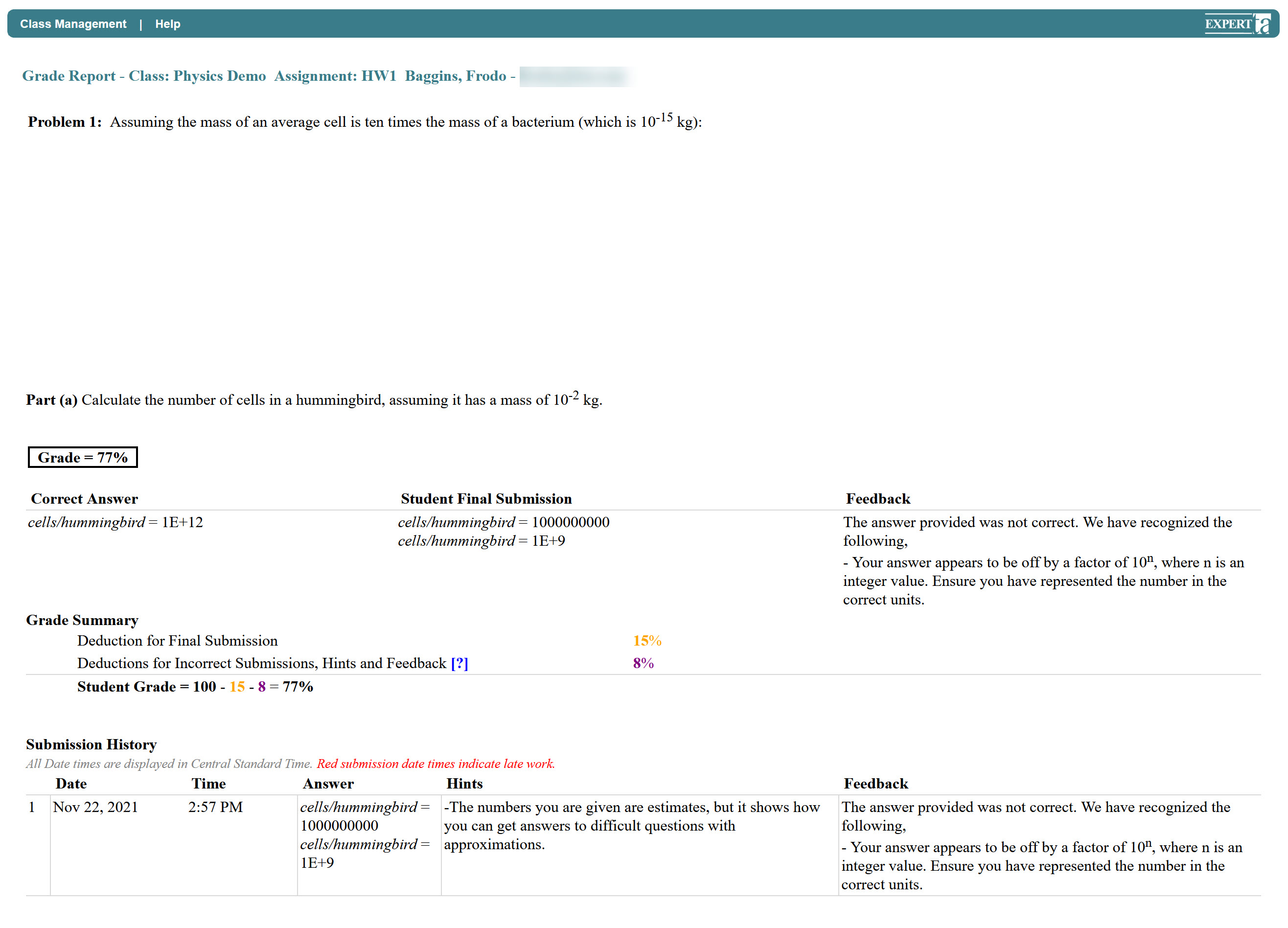
To exit the grade report, click Class Management in the upper-left corner to return to the Class Management page.
Was this article helpful?
That’s Great!
Thank you for your feedback
Sorry! We couldn't be helpful
Thank you for your feedback
Feedback sent
We appreciate your effort and will try to fix the article