The Grade Summary and Submissions sections are located to the right of the answer area for each question. These sections show how your actions affect your grade.
Grade Summary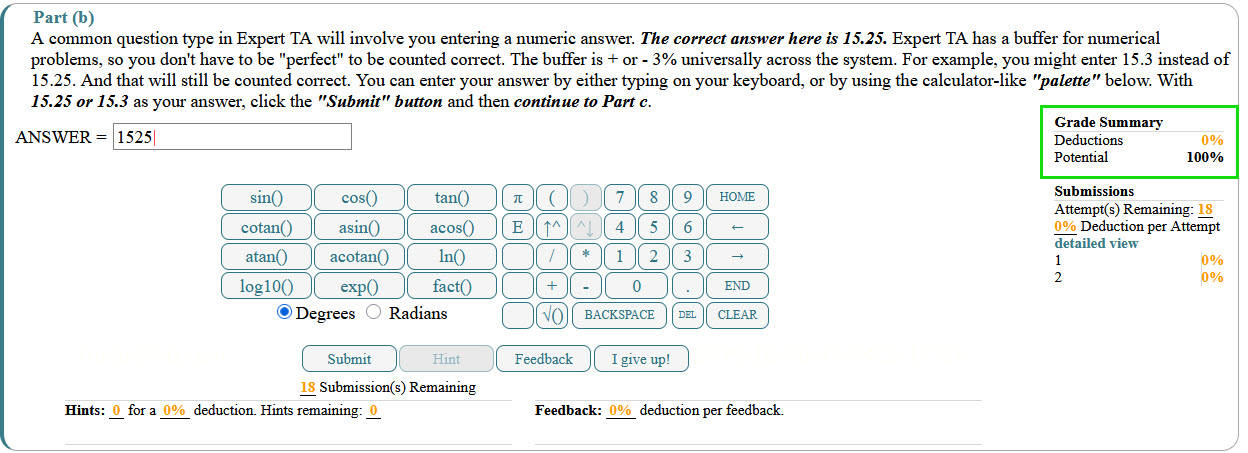
The Grade Summary displays:
Deductions – The total percentage of points lost for the question
Potential – The highest possible score you can still earn
For example:
Deductions: 8%; Potential: 92%
Your potential score may decrease due to:
Incorrect submissions
Using Hints or Feedback
Late work penalties (if allowed by your instructor) are highlighted in yellow.
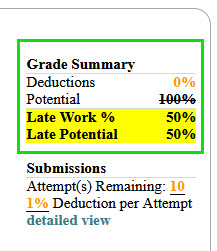
Submissions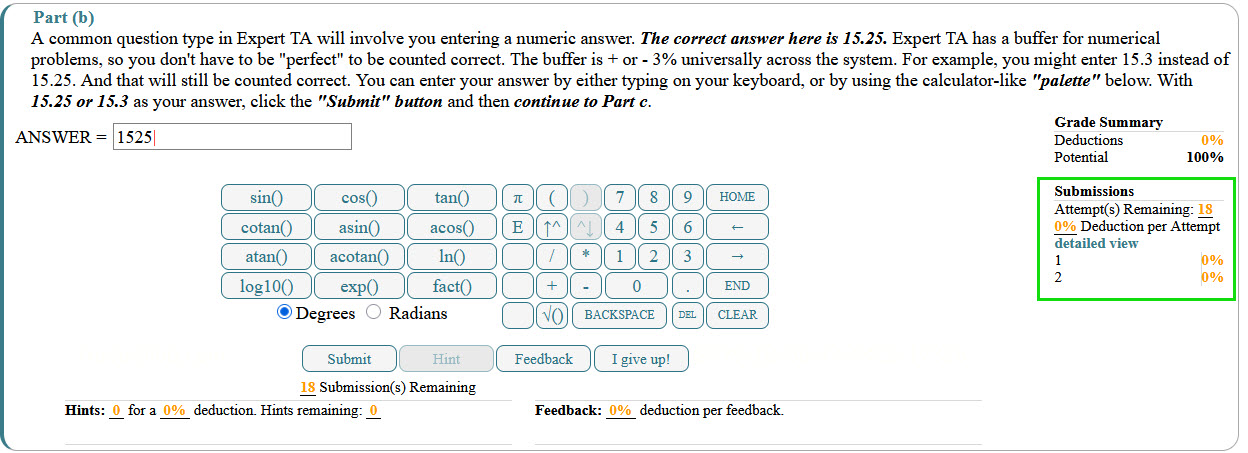
The Submissions section displays:
Attempts remaining – The number of submissions you have left
The percentage deduction per attempt
For example:
Attempts remaining: 2 (1% per attempt)
Each additional submission may reduce your potential score based on the deduction shown.
Submission History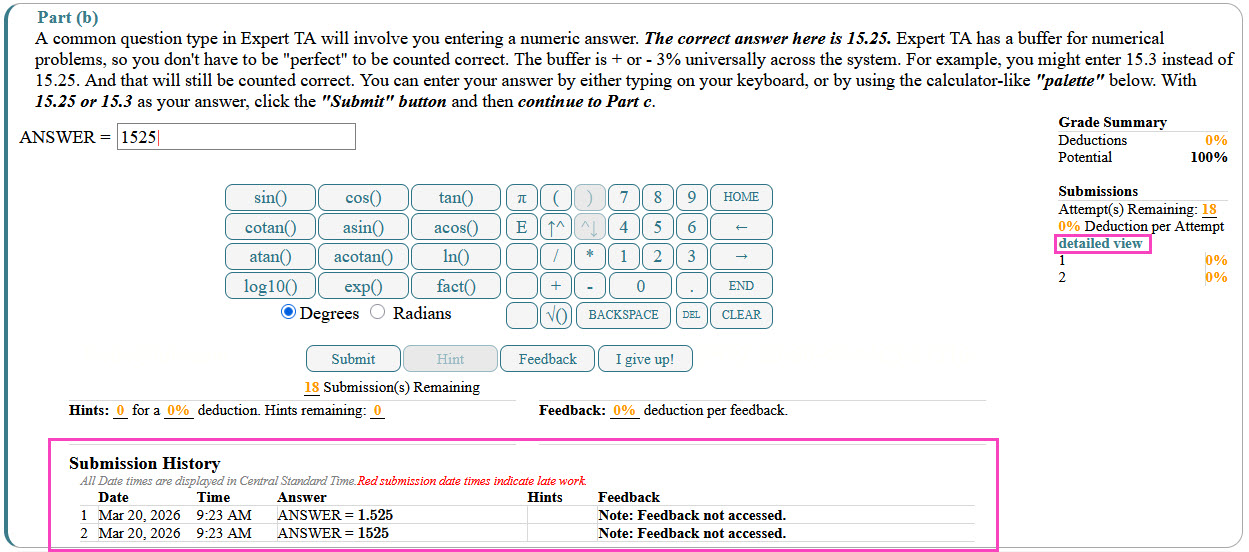
Below these sections, click the Detailed View link to open the Submission History under the Hints and Feedback area.
This view shows:
A time and date stamp for each submission
Any Hints or Feedback that were accessed
Click the Detailed View link again to hide the Submission History.
Was this article helpful?
That’s Great!
Thank you for your feedback
Sorry! We couldn't be helpful
Thank you for your feedback
Feedback sent
We appreciate your effort and will try to fix the article