When you first log in, you will be taken to the Class Management page. This page contains the main features you will use to navigate your class: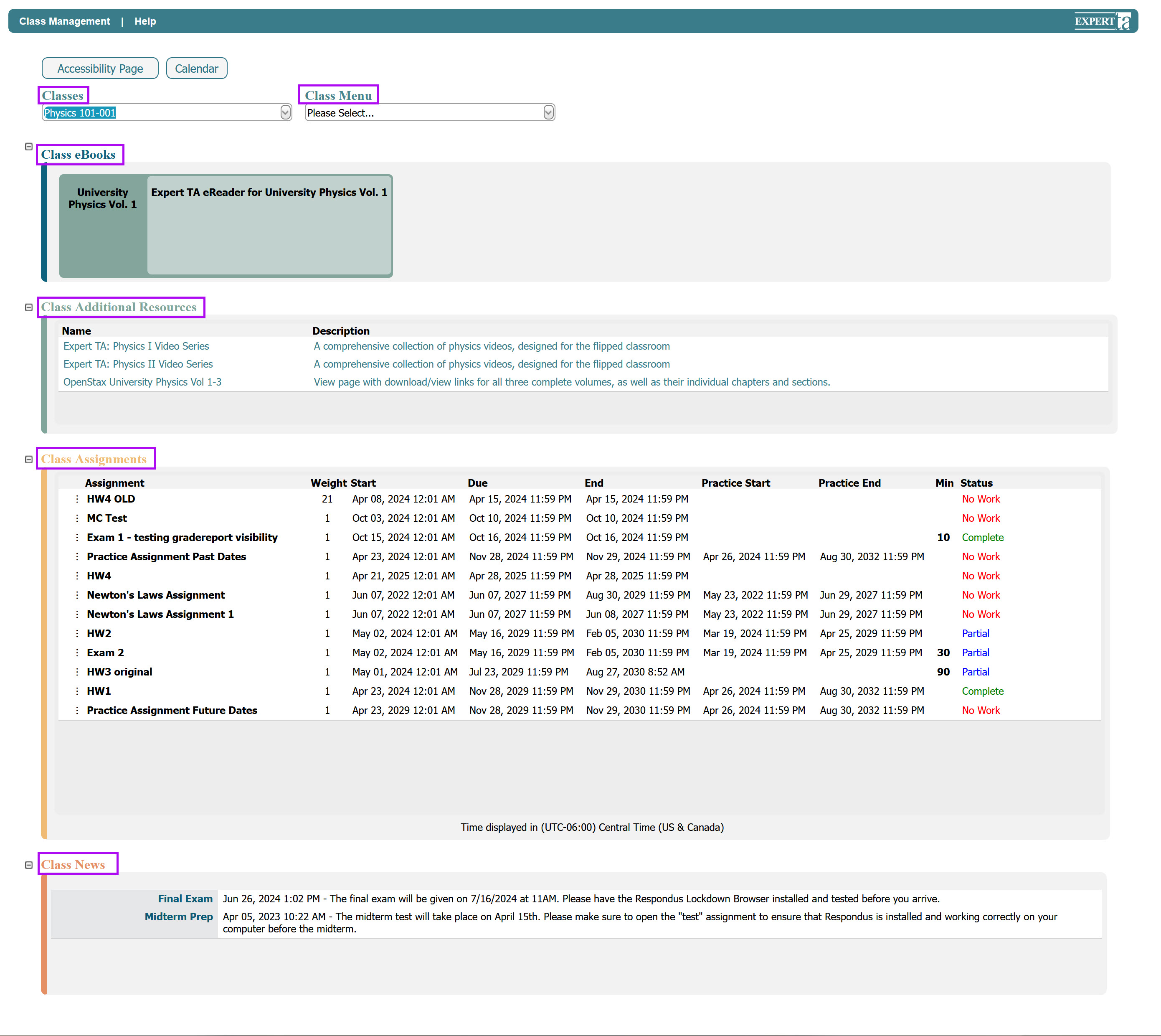
Classes – If you are registered for more than one class, select the class you want to view by opening this drop-down menu.
Class Menu – Contains options such as View/Manage Class Grades and Student Practice Area, which are discussed in other articles.
Class eBooks – If available, this area provides access to any eBooks assigned to your class. (Not all courses will have this section.)
Additional Class Resources – Contains clickable links to other resources your instructor has added for your class, if available.
Assignments – Lists all assignments your instructor has created for the class.
Class News – Displays any announcements posted by your instructor.
Was this article helpful?
That’s Great!
Thank you for your feedback
Sorry! We couldn't be helpful
Thank you for your feedback
Feedback sent
We appreciate your effort and will try to fix the article