Some instructors provide an eBook for their class. If your class includes an eBook, a card with the book’s name will appear on the Class Management page.
eBooks: Overview
The following video provides an overview of the eBook Editor and the eReader. This should provide students with information about their book, the instructor ability to customize the material, and some aspects of how the eBook will be available to them.
Accessing the eBook
To open the book, simply click the eBook Card. This launches the eReader, where you can read the book directly in your browser.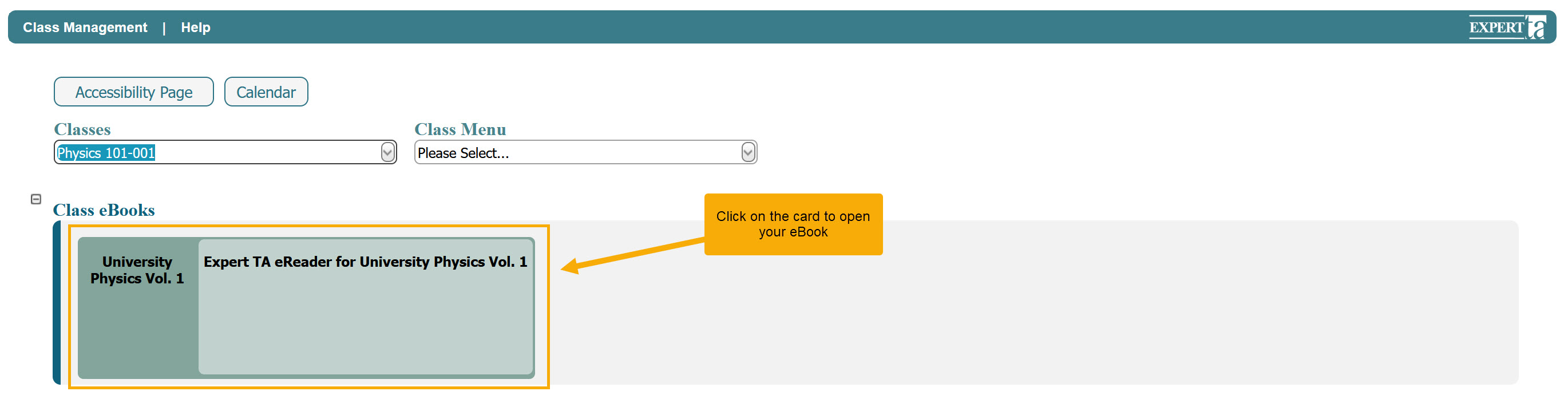
Key Features of the eReader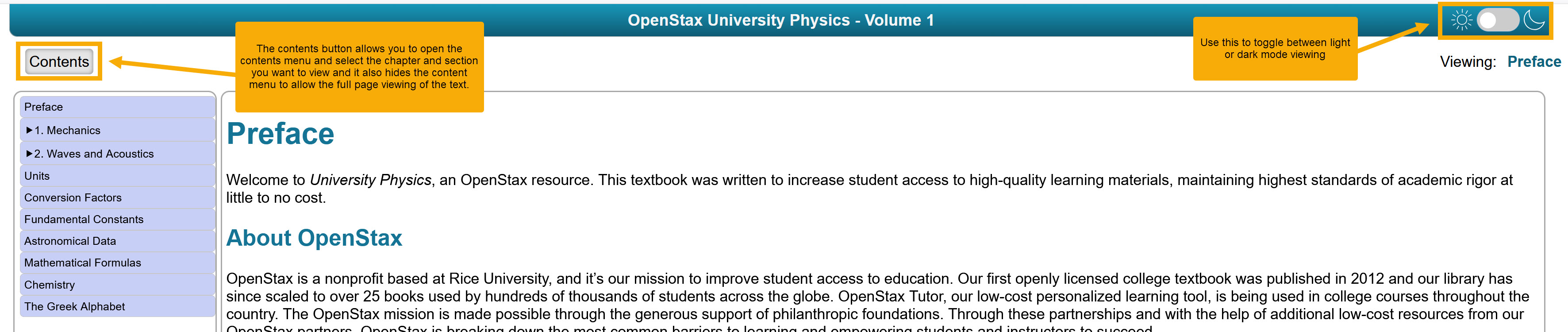
Light and Dark Mode: Switch between light and dark reading modes using the button in the upper right corner.
Contents Navigation: Click the Contents button to view chapters and sections. Selecting a chapter or section will take you there, and you can close the contents view to return to full-page reading.
Simple Interface: The eReader is designed for easy reading with minimal extra features, making it straightforward to use.
Printing Options
The following video provides an overview of the print functionality. Users are able to print the entire book or any portion of it, and are able to send to a physical printer, or Print-to-PDF in order to easily get a free digital copy that never expires.
Highlights and Annotations
The following video provides an overview of highlights and annotations for students within the eReader environment. Students are able to view a clean version of the book, view it with their own highlights and annotations, and also view the book with any messages from the instructor displayed.
Was this article helpful?
That’s Great!
Thank you for your feedback
Sorry! We couldn't be helpful
Thank you for your feedback
Feedback sent
We appreciate your effort and will try to fix the article