Submitting Answers
When you have finished entering your answer, click the Submit button at the bottom of the problem area.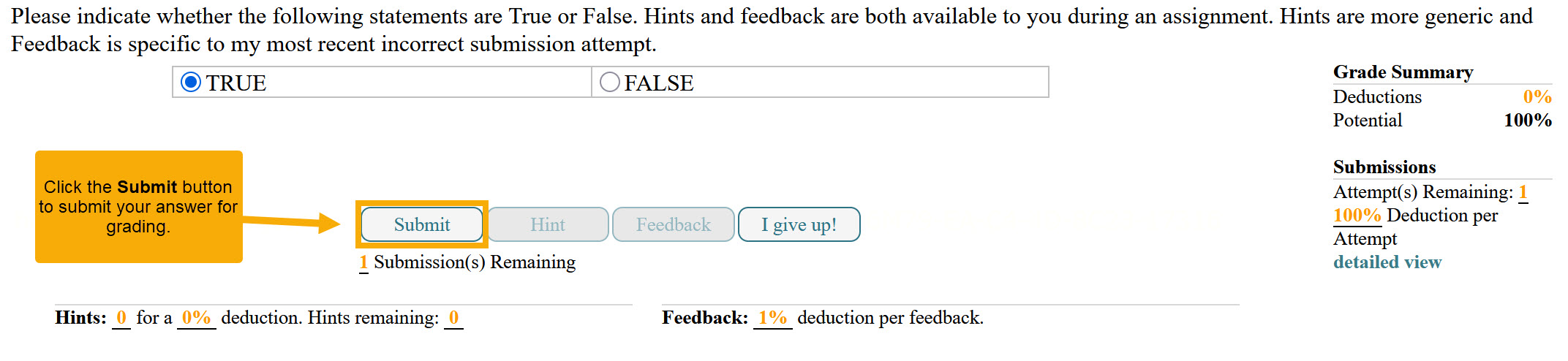
Tips:
Make sure your answer is complete and correctly formatted before submitting.
Check for open parentheses, superscript/subscript errors, and the correct Degrees/Radians setting if applicable.
Submitting will record your answer and allow the system to grade it immediately.
“I give up!” Button
If you are unable to complete a problem, you can click the I give up! button.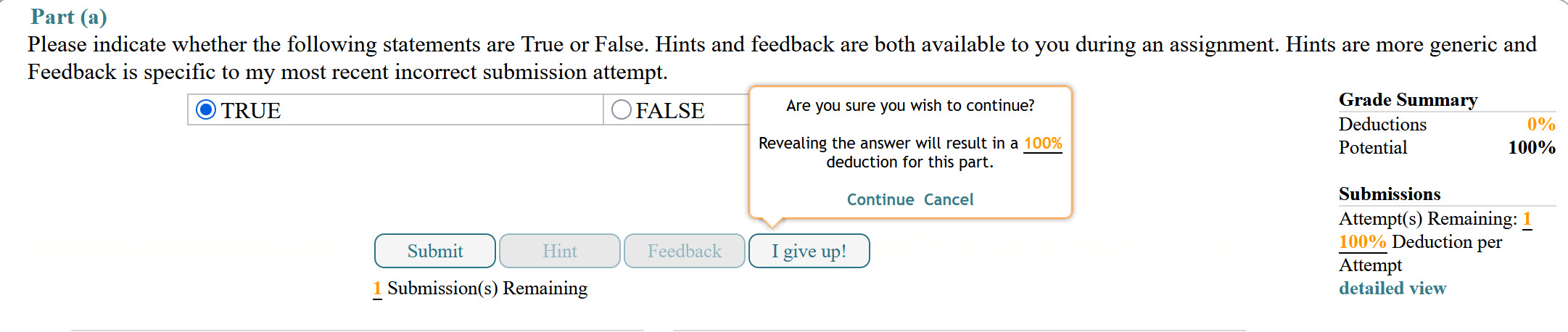
A pop-up message will appear:
“Are you sure you wish to continue? Revealing the answer will result in a 100% deduction for this part.”
Click Continue to reveal the answer and close the problem (no further submissions allowed), or Cancel to return to the problem without revealing the answer.
Important: Using I give up! will automatically reveal the correct answer and apply a 100% deduction for that problem or problem part.
Was this article helpful?
That’s Great!
Thank you for your feedback
Sorry! We couldn't be helpful
Thank you for your feedback
Feedback sent
We appreciate your effort and will try to fix the article