When you submit an answer, the system will display a notification. The message you see depends on how the assignment is set up by your instructor.
Correct and Incorrect Notifications
For some assignments, you will be notified immediately if your answer is Correct or Incorrect after clicking Submit.
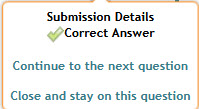 | 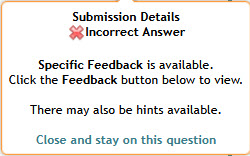 |
This is commonly used for homework or practice assignments
Your instructor controls whether this type of notification is enabled
Saved Answer Notification
For other assignments, such as quizzes or exams, you may not see whether your answer is correct or incorrect. Instead, you will see a message indicating that your answer was saved successfully.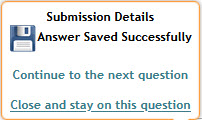
This means your answer has been recorded, and you can continue to the next question or problem part
Your answers are still graded when submitted, but grades will not be available until after the End Date of the assignment
Important Note:
Be careful when changing answers because only your last submitted answer is counted for your grade
Was this article helpful?
That’s Great!
Thank you for your feedback
Sorry! We couldn't be helpful
Thank you for your feedback
Feedback sent
We appreciate your effort and will try to fix the article