The Hints and Feedback features provide guidance while working on an assignment and can help you learn from mistakes.
Hints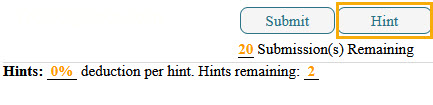
Click the Hints button under the palette or choices to access a hint for the current problem.
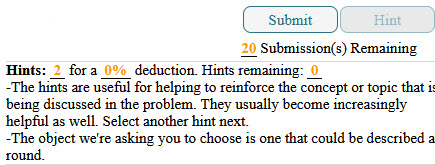
Hints are structured to help you understand areas where students typically struggle.
Instructor control: The instructor decides whether hints are available and the deduction for using them.
Deduction example: Each hint may deduct a percent of your grade. For instance, if each hint is worth 2% and you use two hints, your total deduction would be 4%. Once all available hints are used, the button will be greyed out.
Feedback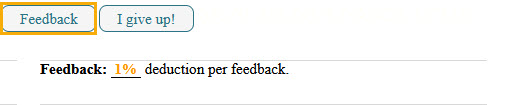
Click the Feedback button under the palette or choices to see guidance for an incorrect answer.
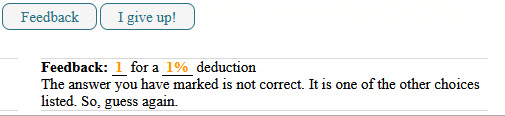
Feedback identifies specific errors, explains what was done wrong, and reinforces the concepts taught in class.
Instructor control: Feedback is not always available for every question; the instructor decides if it is enabled for the assignment.
Deduction example: Each feedback access may deduct a percentage from your grade, which is displayed under the Feedback button.
Tips:
Use hints and feedback wisely. They are designed to help you learn, but may reduce your grade slightly.
Always review the information carefully to understand mistakes and improve your understanding.
Was this article helpful?
That’s Great!
Thank you for your feedback
Sorry! We couldn't be helpful
Thank you for your feedback
Feedback sent
We appreciate your effort and will try to fix the article